Documentation Index

Fetch the complete documentation index at: https://docs.avicenna.dev/llms.txt

Use this file to discover all available pages before exploring further.

The Match Regex action allows you to apply regular expression (regex) patterns to pieces of text to find and extract matching strings.
Image

Input Text

The input text is the base text value that will be searched for the regex pattern. This can be static text or a variable.

Pattern

The pattern is a regex expression that will be used to search for matches in the input text. This can be static text or a variable. Refer to this reference for help writing regex.

Reference Variables

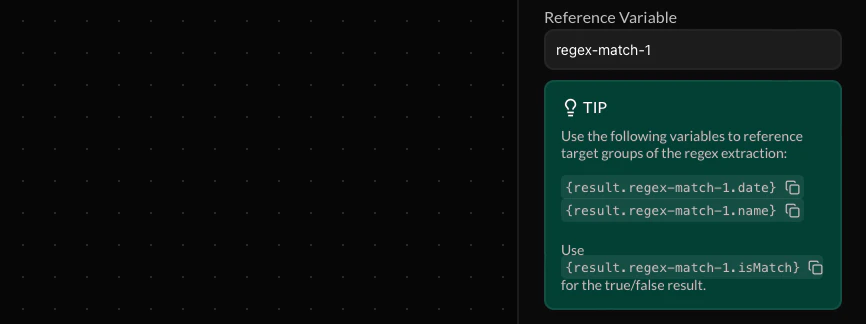
Screenshot 2026 05 26 At 4 53 17 PM
These variables allow you to refer to the result of the regex match in future action blocks down your endpoint’s flow. A custom name must be assigned to to refer to these variables
Make your reference variable names as descriptive and unique as possible to prevent your endpoint flow from becoming cluttered. If a future variable is assigned the same name, the value of your reference variable will be overriden.
The following variables will be generated based off of your custom name:
  • {result.[NAME].matches} for any matches not included in capture groups
  • {result.[NAME].captures} for any matches included in capture groups
  • {result.[NAME].[CAPTURE_GROUP_NAME]} for any matches included in named capture groups
  • {result.[NAME].isMatch} for a true/false boolean result indicating whether any match was found