> ## Documentation Index
> Fetch the complete documentation index at: https://docs.avicenna.dev/llms.txt
> Use this file to discover all available pages before exploring further.
# Tally Form Submission Listener
By the end of this guide, you'll have a fully working webhook listener that sends an email whenever someone submits your Tally form. You can see a working version of the final product [here](https://tally.so/r/zxJLM8).
This guide may include **intermediate to advanced** concepts or terminology.
***
## What You'll Need
Below are the prerequisites you'll need to follow along with this guide:
* a [Tally](https://tally.so) account (free)
* a configured Resend integration in Avicenna (if you want to [send an email](/guides/workshop/actions/send-email))
***
## 1. Create a Tally Form
Log in to [Tally](https://tally.so) and create a new form (let's call it "Submit a Suggestion)
Add a short answer or long answer question to your form (you can word the question however you wish)
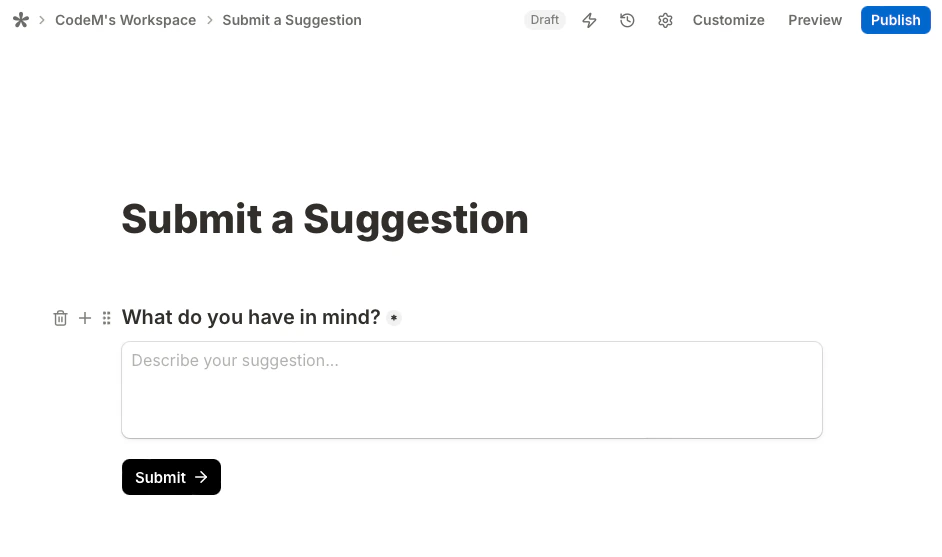 Once your form looks something like the image above, you can go ahead and publish it!
## 2. Create a Listener Endpoint
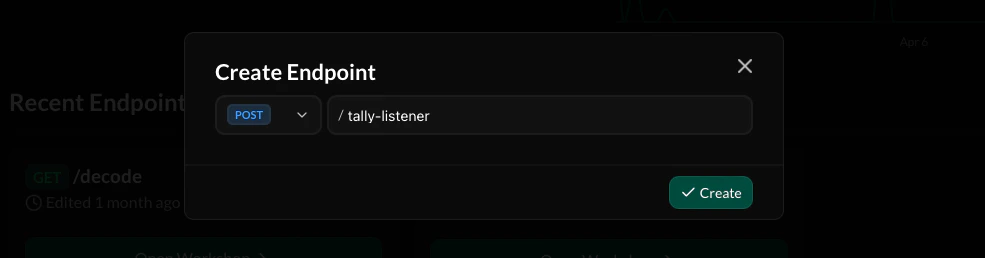
From the Avicenna Dashboard, create a new `POST` endpoint (we'll name ours `/tally-listener`).
Once your form looks something like the image above, you can go ahead and publish it!
## 2. Create a Listener Endpoint
From the Avicenna Dashboard, create a new `POST` endpoint (we'll name ours `/tally-listener`).
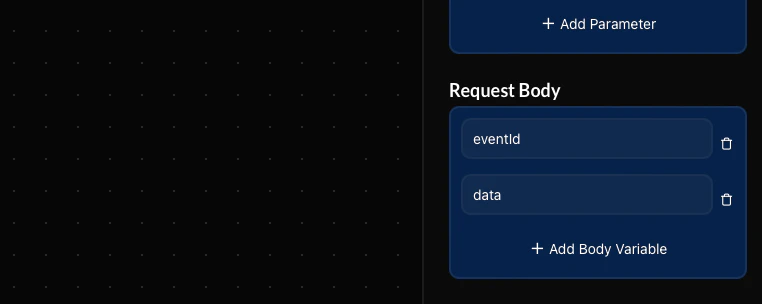
 Tally will send information about the form submission via the request body. Add the `eventId` and `data` keys to the request body.
A full example of the request body Tally sends can be found [here](https://tally.so/help/webhooks#7333898d17a247c892bd00e30e2d582b).
Tally will send information about the form submission via the request body. Add the `eventId` and `data` keys to the request body.
A full example of the request body Tally sends can be found [here](https://tally.so/help/webhooks#7333898d17a247c892bd00e30e2d582b).
 Add the [Send Email action](/guides/workshop/actions/send-email) to your workflow and connect it to the base starting block.
If you don't want to send an email, you can instead use a different action such as [Send External Request](/guides/workshop/actions/send-external-request) to trigger something else.
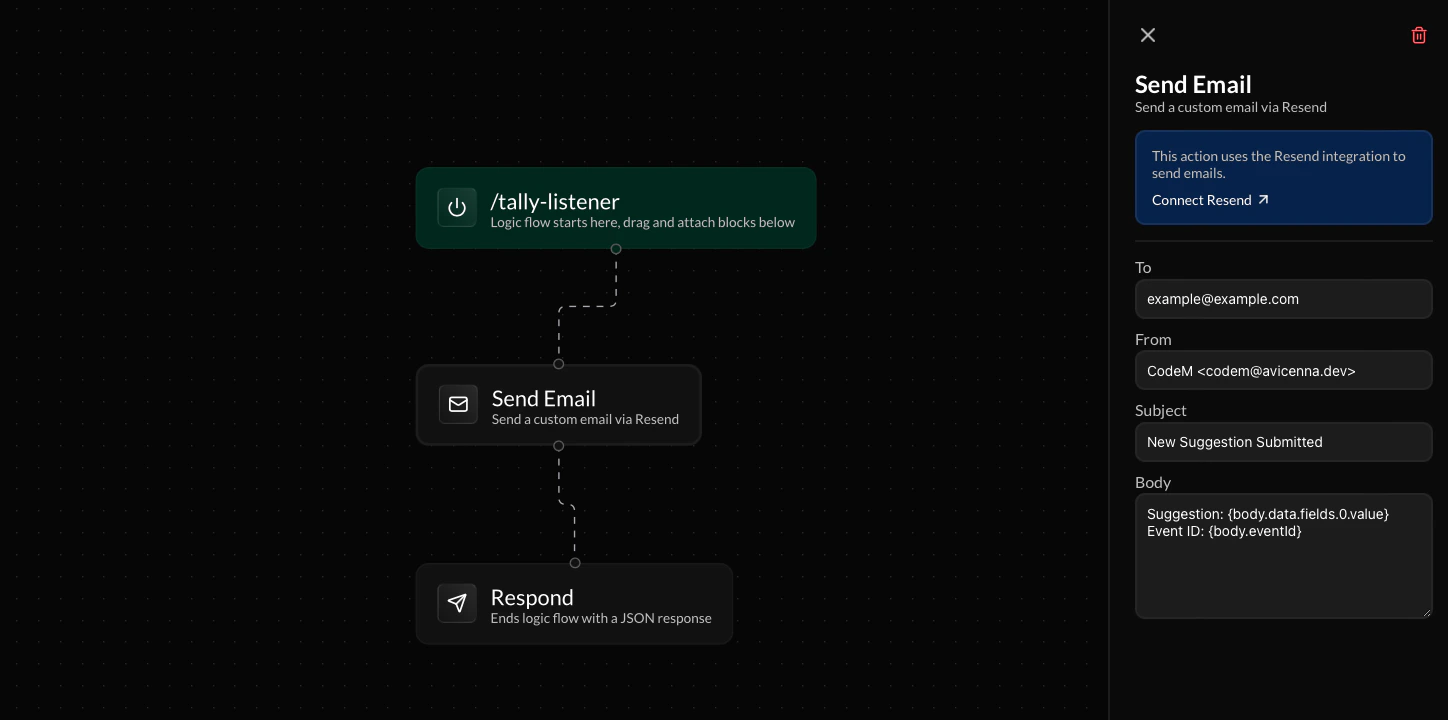
Add the [Send Email action](/guides/workshop/actions/send-email) to your workflow and connect it to the base starting block.
If you don't want to send an email, you can instead use a different action such as [Send External Request](/guides/workshop/actions/send-external-request) to trigger something else.
 You can customize your email's body however you like. Use the variables listed below to add content from the Tally form submission:
* `{body.data.fields.0.value}` - Returns the answer to the first question in your form
* `{body.eventId}` - Returns the event ID of the Tally form submission
A full example and list of keys that are returned by Tally and can be accessed through variables can be found [here](https://tally.so/help/webhooks#7333898d17a247c892bd00e30e2d582b).
Add a simple [Respond](/guides/workshop/actions/respond) action to tell Tally that you received the webhook. You're then ready to deploy the endpoint!
You can customize your email's body however you like. Use the variables listed below to add content from the Tally form submission:
* `{body.data.fields.0.value}` - Returns the answer to the first question in your form
* `{body.eventId}` - Returns the event ID of the Tally form submission
A full example and list of keys that are returned by Tally and can be accessed through variables can be found [here](https://tally.so/help/webhooks#7333898d17a247c892bd00e30e2d582b).
Add a simple [Respond](/guides/workshop/actions/respond) action to tell Tally that you received the webhook. You're then ready to deploy the endpoint!
 ## 3. Configure Tally Webhook
Copy the endpoint URL for your webhook listener.
## 3. Configure Tally Webhook
Copy the endpoint URL for your webhook listener.
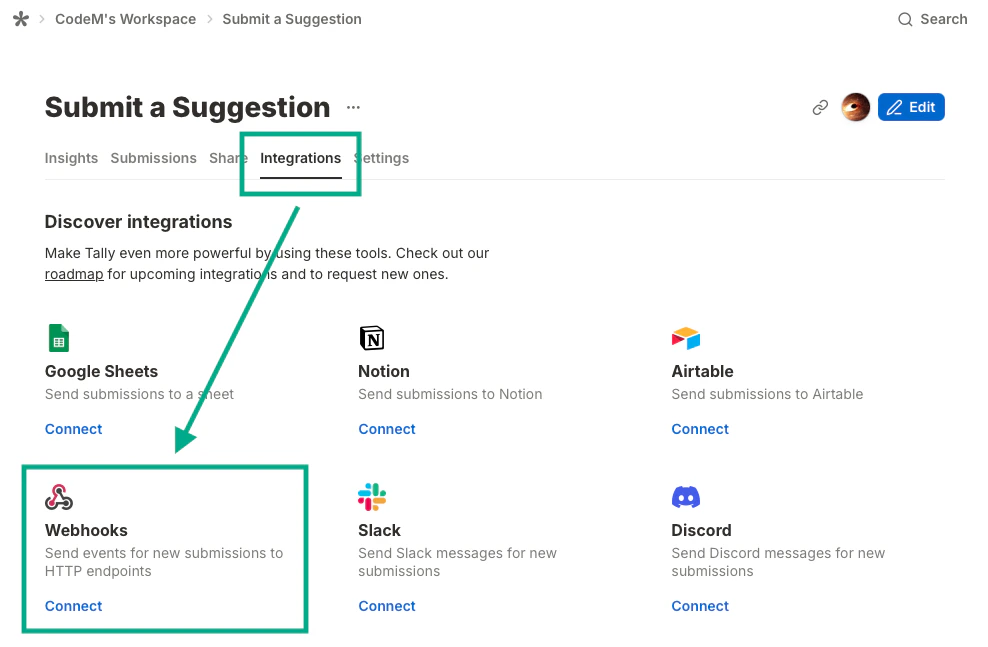
 Navigate to the **Integrations** tab from the Tally settings page for your form. Click **Connect** under the "Webhooks" option.
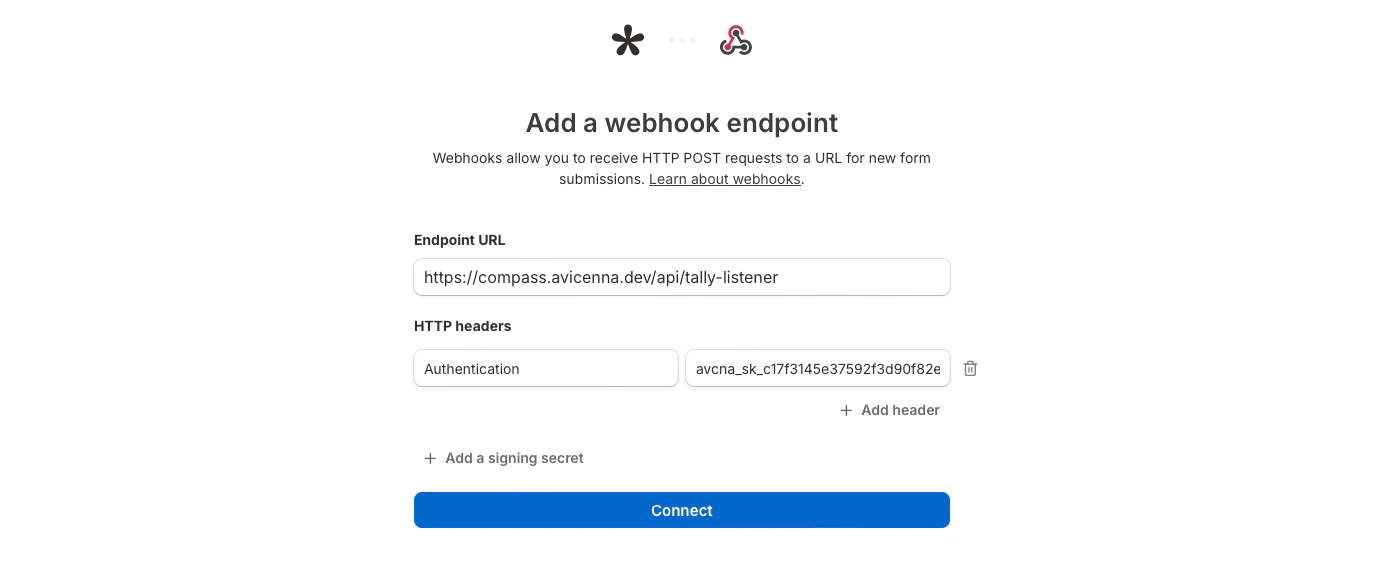
 Paste your Avicenna listener endpoint's URL in the \*\*Endpoint URL \*\*field. If your API requires authentication, add an API key in the HTTP Headers field. Click **Connect** once you're done.
 ## 4. All done!
Try submitting a response to your Tally form and watch your Avicenna endpoint run! You can check your endpoint's logs from the Avicenna Dashboard to verify that the webhook executed.
Try out a working version of this Tally setup we've made here: [https://tally.so/r/zxJLM8](https://tally.so/r/zxJLM8)!
***
## Frequently Asked Questions
No, this setup works fine with Tally's free plan!
Yes. Instead of the Send Email action, you can use the Send External Request action to call any third-party service or API of your choice.
You can use `{body.data.fields.1.value}` for the second field, `{body.data.fields.2.value}` for the third, and so on. The full list of available keys is documented in [Tally's webhook reference](https://tally.so/help/webhooks#7333898d17a247c892bd00e30e2d582b).
Authentication is optional. If your API requires it, you can add an API key in the HTTP Headers field when configuring the Tally webhook integration.
## 4. All done!
Try submitting a response to your Tally form and watch your Avicenna endpoint run! You can check your endpoint's logs from the Avicenna Dashboard to verify that the webhook executed.
Try out a working version of this Tally setup we've made here: [https://tally.so/r/zxJLM8](https://tally.so/r/zxJLM8)!
***
## Frequently Asked Questions
No, this setup works fine with Tally's free plan!
Yes. Instead of the Send Email action, you can use the Send External Request action to call any third-party service or API of your choice.
You can use `{body.data.fields.1.value}` for the second field, `{body.data.fields.2.value}` for the third, and so on. The full list of available keys is documented in [Tally's webhook reference](https://tally.so/help/webhooks#7333898d17a247c892bd00e30e2d582b).
Authentication is optional. If your API requires it, you can add an API key in the HTTP Headers field when configuring the Tally webhook integration.