> ## Documentation Index
> Fetch the complete documentation index at: https://docs.avicenna.dev/llms.txt
> Use this file to discover all available pages before exploring further.
# Manipulate Text
> Modify a text value using various operations
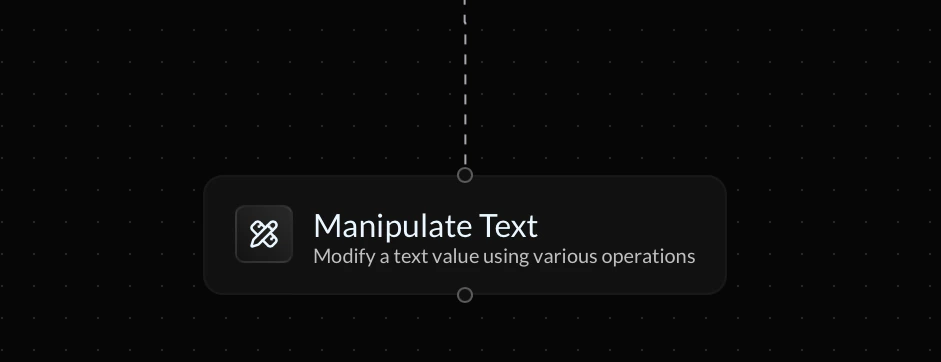
The **Manipulate Text** action allows you to modify text values by applying various different manipulation operations on the text.
 ***
### Input Text
The **input text** is the base text value that the manipulative operation will be performed upon. This may be static text or a variable.
### Operation
The **operation** dictates the way your text vaue will be manipulated. Below are listed the available operations that can be applied to a text value using the Manipulate Text action:
| **Operation** | **Description** | **Example Output** |
| ------------------ | ------------------------------------------------------------------------------------------ | :----------------- |
| To Uppercase | Converts text to all capital letters | HELLO THERE |
| To Lowercase | Converts text to all lowercase letters | hello there |
| Trim Spaces | Removed all spaces from the text, including leading/trailing spaces | HelloThere |
| Replace Text | Replaces all instances of a specific string found in the text with another specific string | Hello Bob |
| Split by Delimiter | Splits the text into fragments, using a specific character as a boundary marker | \[Hello,There] |
| Concatenate | Appends additional text to the existing text value | HelloThere |
### Reference Variable
***
### Input Text
The **input text** is the base text value that the manipulative operation will be performed upon. This may be static text or a variable.
### Operation
The **operation** dictates the way your text vaue will be manipulated. Below are listed the available operations that can be applied to a text value using the Manipulate Text action:
| **Operation** | **Description** | **Example Output** |
| ------------------ | ------------------------------------------------------------------------------------------ | :----------------- |
| To Uppercase | Converts text to all capital letters | HELLO THERE |
| To Lowercase | Converts text to all lowercase letters | hello there |
| Trim Spaces | Removed all spaces from the text, including leading/trailing spaces | HelloThere |
| Replace Text | Replaces all instances of a specific string found in the text with another specific string | Hello Bob |
| Split by Delimiter | Splits the text into fragments, using a specific character as a boundary marker | \[Hello,There] |
| Concatenate | Appends additional text to the existing text value | HelloThere |
### Reference Variable
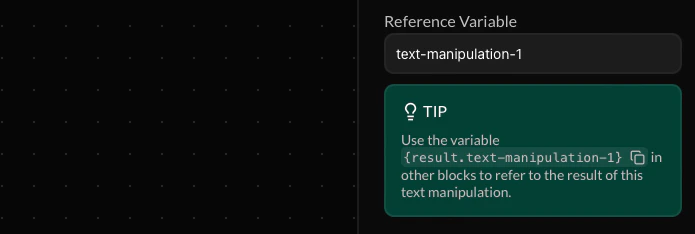 This variable allows you to refer to the result of the text manipulation in future action blocks down your endpoint's flow. This variable must be assigned a custom name.
Make your reference variable names as descriptive and unique as possible to prevent your endpoint flow from becoming cluttered. If a future variable is assigned the same name, the value of your reference variable will be overriden.
This variable allows you to refer to the result of the text manipulation in future action blocks down your endpoint's flow. This variable must be assigned a custom name.
Make your reference variable names as descriptive and unique as possible to prevent your endpoint flow from becoming cluttered. If a future variable is assigned the same name, the value of your reference variable will be overriden.